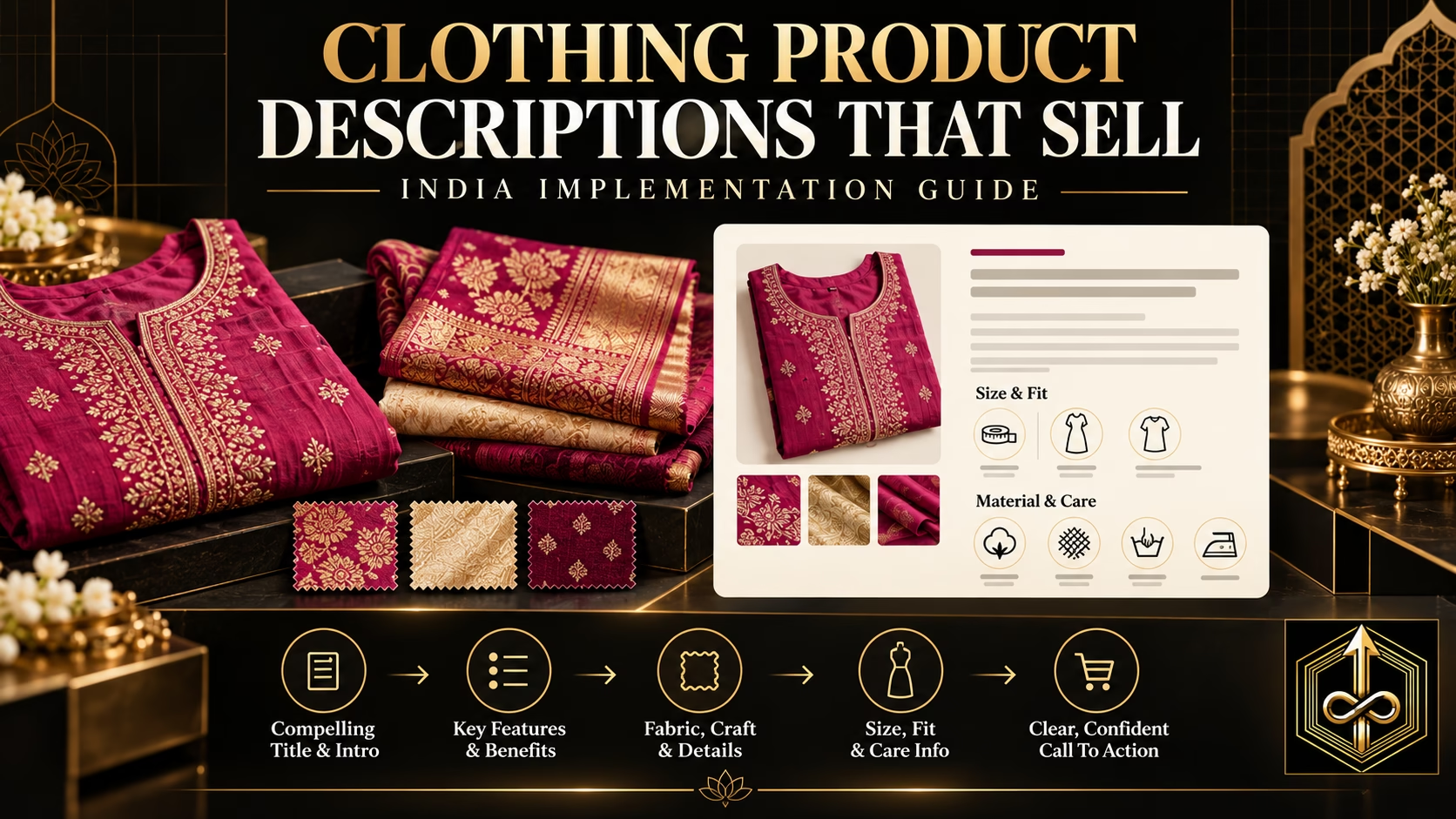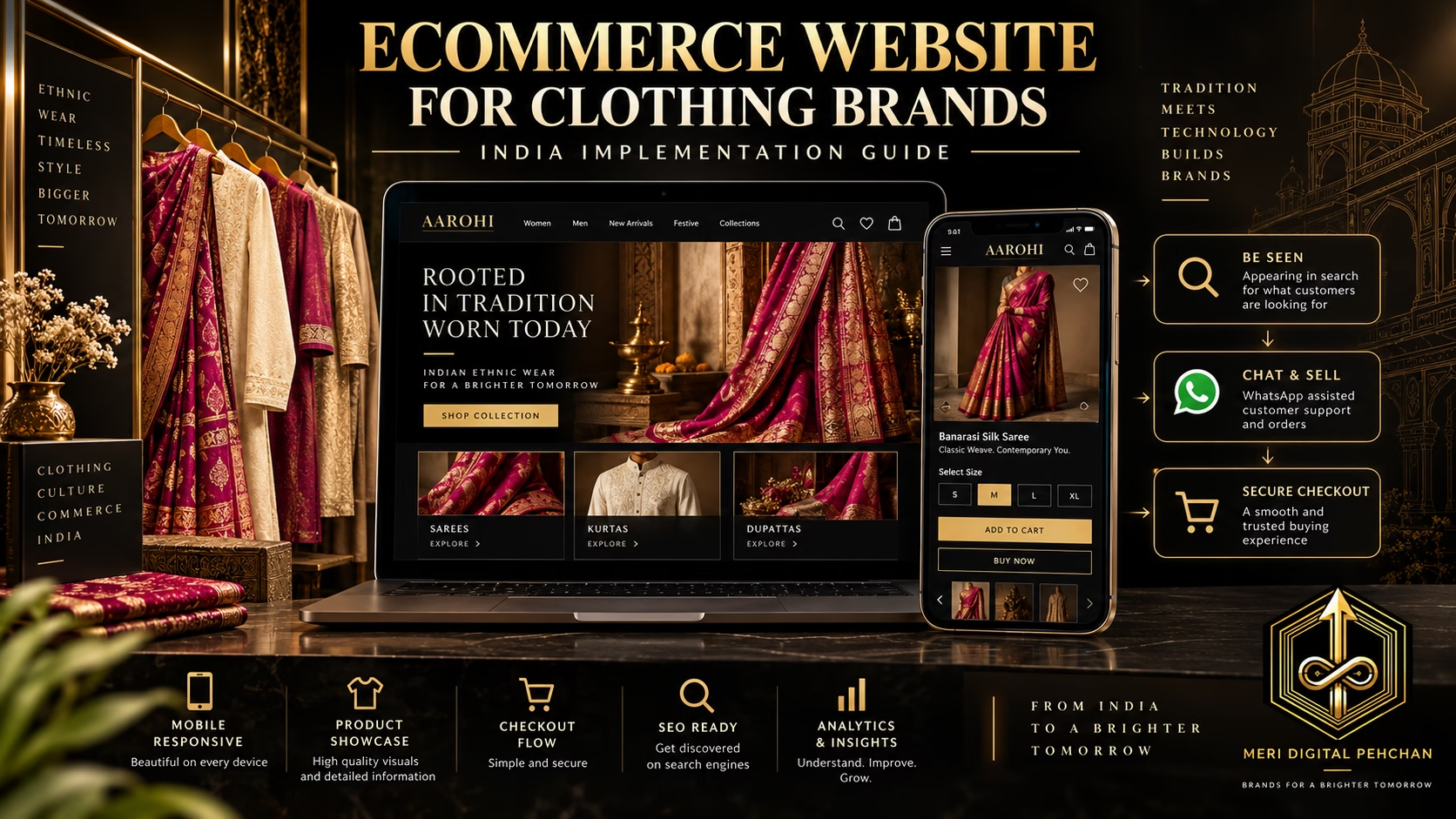

Next implementation step: After choosing the software, use this complete ecommerce website blueprint for clothing businesses in India to plan the catalogue, product pages, size guidance, mobile checkout, SEO and tracking system.
The best ecommerce platform for a small business in India is the one your team can operate reliably while giving customers a fast, trustworthy and complete buying experience. Shopify is usually stronger for businesses that want a managed, lower-maintenance system. WooCommerce is usually stronger for businesses that want deeper control, WordPress-led content and flexible ownership. Hosted website builders can work for simpler catalogues, while custom development should be reserved for genuinely unusual requirements and sufficient technical capacity.
Direct answer: Choose Shopify when speed, reliability and easier day-to-day management are more important than deep technical control. Choose WooCommerce when content, SEO, customisation and ownership matter and you can maintain WordPress properly. Choose a simpler hosted builder only when its current payment, shipping, inventory and SEO capabilities fit your business. Choose custom development only when standard platforms cannot support a proven requirement.
A platform does not create demand, make weak product photographs persuasive or fix poor margins. It is one layer of the Meri Digital Pehchan Online Sales Engine. Buyer Clarity and Product Presentation come first; the platform should then make product discovery, trust, checkout, fulfilment and retention easier.
Select the operating model before selecting the software.
Managed platform, faster launch and predictable core operations.
WordPress control, content depth, flexible ownership and configuration.
Simple setup for smaller catalogues, subject to feature and integration fit.
Maximum flexibility with maximum development and maintenance responsibility.
Start With the Business Model, Not the Software
Many small businesses begin platform research with feature lists. They compare themes, apps and monthly prices before defining how the store will actually operate. This leads to websites that look complete but do not support the customer journey or the team’s daily work.
Define these requirements first
- Catalogue structure: How many products, categories, sizes, colours and variants must be managed?
- Product complexity: Does the buyer need measurements, customisation, bundles, subscriptions, appointments or assisted selection?
- Traffic plan: Will customers arrive through search, Instagram, ads, creators, WhatsApp, offline stores or marketplaces?
- Content plan: Will the website publish detailed guides, lookbooks, videos, FAQs and educational articles?
- Payment requirements: Which current Indian payment methods and providers must be supported?
- Shipping requirements: How will serviceability, rates, labels, tracking, COD and returns work?
- Inventory: Is stock managed in one warehouse, several stores, marketplaces or a point-of-sale system?
- Team capability: Who will update products, resolve errors, maintain integrations and analyse data?
- Customisation: Which requirements are essential, and which are preferences?
- Growth model: Does the business need domestic sales only, international selling, wholesale, retail POS or several brands?
After these requirements are documented, evaluate platforms. Otherwise, every demo looks attractive and every limitation appears only after money and time have been invested.
Use a “must have, should have, later” list
Separate requirements into three levels:
- Must have: The store cannot launch or operate legally and reliably without it.
- Should have: It meaningfully improves conversion or operations but has a temporary workaround.
- Later: It may become useful after product, buyer and channel evidence exists.
This prevents an early-stage business from commissioning a complex custom build for features it may never use. The initial platform should support a strong version of today’s business and a credible next stage—not every imagined future.
Map the complete order journey
Before selecting software, write the actual operating flow:
- Customer discovers the brand.
- Customer reaches a collection or product page.
- Customer understands product, variant, price, delivery and policy.
- Customer pays or places an eligible COD order.
- Order reaches inventory and fulfilment.
- Shipping label and invoice are created.
- Customer receives confirmation and tracking.
- Support handles changes, failed delivery, return or refund.
- Order and settlement are reconciled.
- Customer enters a permission-based retention journey.
A platform must support this journey reliably. A feature list is useful only when it connects to a real process.
Shopify vs WooCommerce vs Other Options: Quick Comparison
| Factor | Shopify | WooCommerce | Hosted builder | Custom build |
|---|---|---|---|---|
| Hosting and core maintenance | Managed by platform | Business selects and maintains hosting, WordPress and extensions | Usually managed | Business or development partner manages |
| Launch speed | Generally fast with standard requirements | Fast with a disciplined stack; slower with heavy customisation | Generally fast for simple stores | Usually slowest |
| Control | High within platform architecture | Very high with technical responsibility | Moderate and platform-dependent | Potentially highest |
| Ongoing maintenance burden | Lower for core platform | Higher; updates, hosting, backups and compatibility need ownership | Lower for core platform | Highest unless well supported |
| Content and publishing | Capable, with ecommerce-first architecture | Strong WordPress publishing ecosystem | Varies significantly | Depends on what is built |
| Extensions and apps | Large app ecosystem; recurring costs can accumulate | Large plugin ecosystem; quality and compatibility vary | Usually smaller ecosystem | Every integration may require development |
| Data portability | Exports available, but migration still requires planning | High access to WordPress and database within the chosen hosting setup | Varies; must be checked before purchase | Depends on documentation and ownership contract |
| Best fit | Teams prioritising dependable operations and speed | Teams prioritising control, content and flexible architecture | Simple stores whose required integrations are supported | Proven unusual workflows with technical resources |
Platform capabilities, prices and integrations change. Verify current plans on the official Shopify India pricing page, review current WooCommerce requirements in the official WooCommerce documentation, and inspect the official documentation of any other platform before purchasing.
Calculate the Real Cost of an Ecommerce Platform
The monthly subscription is rarely the complete cost. Compare the total cost of ownership over at least twelve months.
1. Platform and hosting costs
Shopify and hosted builders charge for a managed service according to current plans. WooCommerce itself is an open-source ecommerce plugin, but a functioning store still requires suitable hosting, a domain, security, backups, maintenance and often paid extensions. Custom development requires infrastructure plus development and support.
2. Design and implementation
Include theme purchase, custom sections, product data preparation, migration, checkout configuration, analytics, testing and training. A low subscription does not help if implementation remains incomplete.
3. Apps, plugins and integrations
Common needs include payment, shipping, invoices, reviews, search, filters, bundles, WhatsApp, returns, backups, security, analytics, email and customer support. Some are built in, some require paid services and some create transaction or usage charges.
4. Maintenance and technical support
Calculate who will handle:
- Platform updates
- Plugin or app conflicts
- Theme changes
- Checkout errors
- Speed problems
- Backups and recovery
- Security incidents
- Integration failures
- Tracking changes
Shopify reduces responsibility for the core hosted platform, but apps and custom themes still need management. WooCommerce gives more control, but the store owner must own the complete stack.
5. Cost of operational friction
A platform can be inexpensive but costly to operate if the team manually copies orders, updates stock in several places or resolves repeated checkout failures. Include staff time, error rate and lost sales.
6. Cost of change
Businesses frequently underestimate the cost of adding features later. A “cheap” platform becomes expensive when:
- A required payment or courier integration is unavailable.
- Product export is incomplete.
- Checkout cannot support an essential rule.
- SEO controls are limited.
- Every design change requires the original vendor.
- The business must migrate earlier than expected.
Total cost formula
Annual platform cost = Subscription or hosting + implementation + theme + apps/plugins + maintenance + support + payment/transaction costs + operational labour + expected downtime/error cost
Illustrative annual-cost comparison
The following example is deliberately hypothetical. It demonstrates the calculation method, not current platform pricing.
| Cost area | Store A | Store B |
|---|---|---|
| Platform/hosting | Higher managed subscription | Lower hosting cost |
| Apps/plugins | Several recurring apps | Several annual plugin licences |
| Technical support | Lower core maintenance, occasional specialist | Regular WordPress maintenance |
| Operational labour | Low if integrations are native | Low only if integrations are configured well |
| Risk | App dependency and platform limits | Hosting, updates, security and plugin compatibility |
The cheaper base plan is not necessarily the cheaper system. Compare cost against contribution and capability, not merely against another monthly price.
Shopify for Small Businesses in India
Shopify is a hosted ecommerce platform. The core infrastructure, platform updates and hosting are managed, allowing many businesses to launch and operate without maintaining a WordPress stack or custom server.
Shopify’s strongest advantages
Faster standard launch. A business can configure a theme, products, payments, shipping and key policies without building every system from the beginning.
Managed core platform. Hosting, core updates and much of the infrastructure are handled by Shopify. This reduces—but does not eliminate—the need for technical support.
Consistent ecommerce administration. Products, orders, discounts, customers, inventory and reports are organised around ecommerce workflows.
App and partner ecosystem. Many commercial functions can be added through apps or partners. The advantage is speed; the risk is recurring cost and app dependency.
Scalable operating environment. Businesses can expand product ranges, channels and integrations within the platform’s architecture, provided their needs fit it.
Reduced responsibility for hosting decisions. The team can spend less time comparing server settings and more time on product information, conversion and marketing.
Shopify limitations to evaluate
- Monthly plan, app and development costs can accumulate.
- Deep customisation must work within Shopify’s architecture and plan capabilities.
- Payment-provider choices or transaction structures may affect cost; verify the current India-specific position.
- Too many apps can slow the storefront, duplicate scripts and complicate support.
- Moving away later requires careful export, URL and data migration.
- Content publishing is capable, but teams with extremely complex WordPress-led publishing requirements may prefer a different architecture.
- The business remains dependent on the platform’s supported architecture and terms.
Shopify is usually a strong fit when:
- The team wants to launch quickly with standard ecommerce requirements.
- There is no internal WordPress maintenance capability.
- Operational reliability is more important than controlling every technical layer.
- The business can budget for the plan, theme, apps and specialist work required.
- Products, variants, discounts and fulfilment fit available platform workflows.
- The business expects to invest in traffic and conversion rather than only in development.
Shopify implementation discipline
Do not install an app for every idea. Start with a minimal stack:
- Theme and product experience
- Payment
- Shipping and tracking
- Invoices or tax workflow where required
- Analytics and consent
- Reviews only when genuine data exists
- Customer support
- Retention communication with permission
Add apps only when a measured business problem justifies them. Every additional app introduces cost, scripts, permissions, data flow and potential failure.
Questions to ask a Shopify developer or agency
- Which functionality is native, app-based or custom?
- What recurring app cost is expected?
- Who owns the theme licence and custom code?
- How will speed be protected?
- How will analytics and payment webhooks be tested?
- How will products and content be exported if needed?
- What is included in ongoing support?
WooCommerce for Small Businesses in India
WooCommerce is an ecommerce system built for WordPress. It is attractive to businesses that want control over hosting, content, design, extensions and data architecture. That control comes with responsibility.
WooCommerce’s strongest advantages
WordPress content power. Businesses that depend on detailed articles, guides, landing pages, educational resources and search-led authority can manage content and commerce within WordPress.
Flexible ownership and hosting. The business selects hosting, themes and extensions and can access the underlying site and database according to its setup.
Deep customisation. Developers can modify templates, product types, checkout logic and integrations extensively. This is valuable when requirements are real and documented.
Large ecosystem. Many themes, plugins, gateways, shipping integrations and specialists are available. Selection quality matters because not every plugin is equally maintained or compatible.
Potential efficiency for existing WordPress teams. A business already operating a healthy WordPress content system may add commerce without adopting a separate platform.
WooCommerce limitations to evaluate
- The business must choose and maintain suitable hosting.
- WordPress, theme and plugin updates can create compatibility issues.
- Security, backups and recovery require clear ownership.
- Performance can decline with poor hosting, heavy themes, excessive plugins or unoptimised media.
- Plugin costs and developer support can equal or exceed a hosted platform.
- A cheap build without maintenance is risky for a payment-accepting store.
- Different vendors may blame one another when hosting, theme and plugin issues overlap.
WooCommerce is usually a strong fit when:
- Content and SEO are central to customer acquisition.
- The team already understands WordPress or has dependable support.
- Custom product or checkout requirements are important.
- The business wants control over hosting and technical architecture.
- The budget includes maintenance, security and performance—not only initial development.
- The store must integrate closely with an existing WordPress website.
Build a disciplined WooCommerce stack
Use a reputable host that meets current WooCommerce and WordPress requirements. Keep the theme lightweight, minimise plugins, update in a controlled way and maintain tested backups. Use a staging environment for meaningful changes. Document every plugin’s purpose, cost, owner and renewal date.
A WooCommerce store should have:
- Secure and supported hosting
- HTTPS
- Automated and tested backups
- Security monitoring
- Caching and image optimisation
- Transactional email reliability
- Payment and webhook monitoring
- Staging and rollback process
- Regular update ownership
- Error and uptime monitoring
Control is useful only when someone is accountable for it.
Questions to ask a WooCommerce developer or agency
- Which host and server configuration will be used?
- Which plugins are essential and why?
- Who owns licences and renewals?
- How will backups be tested?
- What is the update and staging process?
- How will security and uptime be monitored?
- What happens if a plugin is abandoned?
- Can another developer take over the stack?
Other Hosted Ecommerce Website Builders
Several hosted website builders and India-focused commerce platforms promise faster setup. These can be suitable for simple stores, but evaluate them against the exact business requirements rather than advertising claims.
Check these capabilities
- Current Indian payment-gateway support
- UPI and COD workflow
- Shipping and tracking integrations
- Variant limits and inventory behaviour
- GST invoice or accounting workflow
- Mobile storefront performance
- Checkout customisation
- SEO controls: titles, descriptions, canonicals, redirects and structured data
- Blog and content capability
- Image optimisation
- Analytics and ad tracking
- Customer export and product export
- Custom-domain support
- App or integration ecosystem
- Support response and escalation
- Migration options if the business outgrows the platform
The portability test
Before choosing a smaller platform, ask:
- Can products, customers and orders be exported in usable formats?
- Can URLs be redirected during migration?
- Who owns the domain?
- What happens to images and content if the subscription ends?
- Are integrations documented?
- Can an external developer work on the store?
A quick launch is valuable, but the business should understand the exit path. Do not lock years of customer and content work into a system with weak export or migration support.
When a hosted builder can be enough
- Small, simple catalogue
- Few product variants
- Standard payment and shipping needs
- Limited custom workflow
- Modest content strategy
- Clear export and migration path
When it becomes risky
- The business requires complex size, customisation or bundle logic.
- SEO controls are incomplete.
- Important integrations depend on unofficial workarounds.
- Customer and order export is limited.
- Support cannot resolve payment or checkout problems promptly.
When Custom Ecommerce Development Makes Sense
Custom development is often treated as the premium option. It is appropriate only when the business has a proven requirement that standard platforms cannot support efficiently.
Custom development may be justified when:
- The product has a genuinely unusual configuration or pricing engine.
- The business needs complex B2B, marketplace, subscription or multi-party workflows.
- Deep integration with proprietary ERP, manufacturing or logistics systems is essential.
- Performance or user-experience requirements exceed practical platform limits.
- The business has technical leadership, documentation, testing and maintenance budgets.
Custom development is usually a mistake when:
- The requirement is simply a standard catalogue and checkout.
- The business has not validated the product or traffic source.
- The budget covers development but not maintenance.
- No one owns security, uptime and future updates.
- The project is driven by design novelty rather than customer friction.
- The business wants to avoid platform subscriptions but ignores developer dependency.
Custom does not mean independent
A custom store still depends on cloud infrastructure, frameworks, payment providers, shipping systems, databases and developers. The question is not whether there is dependency; it is whether the business can manage it better than a standard platform can.
Documents required before a custom build
- Detailed requirements
- User journeys
- Data model
- Integration specification
- Security responsibilities
- Testing plan
- Backup and recovery plan
- Deployment and rollback plan
- Documentation ownership
- Ongoing support agreement
An Ecommerce Platform Is Not the Same as a Marketplace
Shopify, WooCommerce and website builders help you create an owned storefront. Amazon and Flipkart are marketplaces with existing customer demand and marketplace rules. They solve different problems.
An ecommerce platform gives you infrastructure, but you must generate much of the traffic. A marketplace can bring product-search intent, but you give up some control over presentation, customer relationship and policies.
Use the detailed website versus Amazon, Flipkart and Instagram comparison to choose the sales channel separately from the store technology.
Example
A jewellery brand may use Shopify or WooCommerce for its owned website, Instagram for discovery, WhatsApp for assisted selection and Amazon for a selected entry collection. The ecommerce platform does not replace the social or marketplace strategy; it provides the owned conversion destination.
India-Specific Payments, Shipping, GST and Operations
Before choosing a platform, verify current support for the systems your Indian business actually needs. Integration directories and fees change, so use official platform and provider documentation.
Payment checklist
- Supported payment gateways for your business entity
- UPI, cards, net banking and other required methods
- Settlement timing and reconciliation
- Refund workflow
- Webhook reliability
- Failed-payment recovery
- International payment needs
- Gateway and platform transaction charges
- Fraud and risk controls
Shipping checklist
- Pincode serviceability
- Weight and dimension rules
- Real-time or flat rates
- COD eligibility and verification
- Label and manifest generation
- Tracking notifications
- RTO and reverse logistics
- Multi-warehouse support
- Damage and claim workflow
Tax and invoicing checklist
GST, invoicing and accounting treatment depend on business circumstances and current rules. Confirm requirements through the official GST portal and qualified professionals. Check whether the platform and integrations can generate or exchange the data your accountant and operations team require.
Do a live integration test
Before launch, place real low-value test orders using each important payment and shipping path. Confirm:
- Payment success and failure messages
- Order creation
- Inventory deduction
- Invoice data
- Shipping label
- Customer notification
- Tracking
- Refund
- Cancellation
- Webhook and analytics events
A feature appearing in an app directory does not prove the complete workflow works for your configuration.
Test COD separately
Confirm whether COD eligibility, charges, verification, serviceability and status updates work as intended. An order marked “COD available” at checkout can still fail later if logistics rules are not aligned.
SEO and Content: Shopify vs WooCommerce
Both platforms can support search visibility. Neither guarantees rankings. Search performance depends on useful content, crawlability, site architecture, page quality, speed, structured information, links and customer demand.
Shopify SEO considerations
- Core technical infrastructure is managed.
- Titles, descriptions, URLs and redirects can be managed within platform limits.
- Theme and app quality affect speed and markup.
- Duplicate or thin collection structures should be controlled.
- App-generated scripts and pages need review.
- Blogging is available, but advanced editorial workflows may require planning.
WooCommerce SEO considerations
- WordPress provides powerful content and taxonomy options.
- Technical control is extensive.
- Poor plugin choices can create duplicate pages, slow performance or conflicting metadata.
- Hosting and caching strongly affect performance.
- Customisation allows excellent architecture but also allows serious mistakes.
- Ongoing technical maintenance is essential.
Image search and product imagery
Regardless of platform, use original high-quality images, descriptive filenames, accurate alt text, useful captions where appropriate, relevant surrounding content and crawlable image elements. Compress images without destroying detail. Do not stuff keywords into alt text. For product businesses, images should answer scale, fit, material and use—not only decorate the page.
Structured data
Product structured data can help search engines understand price, availability, reviews and other product information when accurately implemented. Follow Google Search Central’s official Product structured-data documentation. Eligibility for a rich result is never guaranteed.
Content ownership matters more than platform mythology
A strong content strategy requires:
- Buyer-focused category architecture
- Original product information
- Useful guides and FAQs
- Internal linking
- Accurate metadata
- Fast, mobile-friendly pages
- Ongoing updates
Do not select WooCommerce only because someone says it is “better for SEO,” or Shopify because someone says technical SEO is automatic. Implementation quality decides the result.
Conversion, Mobile Experience and Checkout
The best platform is not the one with the most features. It is the one that helps the target buyer complete the purchase with confidence.
Test these conversion elements
- Mobile navigation
- Collection filters
- Search
- Product-gallery speed and zoom
- Variant selection
- Size chart or dimensions
- Delivery information
- Policy visibility
- Cart behaviour
- Payment success and failure
- COD eligibility
- Order confirmation
Test with unfamiliar users
Ask someone who did not build the website to:
- Find a suitable product.
- Understand its size or dimensions.
- Check delivery and return information.
- Select the correct variant.
- Complete payment on a phone.
- Find order confirmation and support.
Observe pauses and questions. Platform demos do not reveal friction in your actual theme, product information and integrations.
Checkout customisation should solve real problems
Do not add fields, popups and offers merely because an app exists. Every extra decision can increase friction. Add customisation only when it improves eligibility, trust, order value or fulfilment accuracy.
Best Platform for Clothing, Saree, Kurti and Boutique Businesses
Clothing ecommerce requires strong variant management, sizing, filters, galleries, reviews, exchange workflows and mobile browsing.
Shopify can be a strong fit when:
- The team wants a managed store and quick catalogue operations.
- Standard product, size and colour variants are sufficient.
- Apps available for required shipping, payments and merchandising are commercially acceptable.
- The business prioritises storefront reliability and can invest in themes and conversion work.
WooCommerce can be a strong fit when:
- The brand publishes extensive fabric, styling and buyer-education content.
- Custom product information or editorial layouts are important.
- The team already manages WordPress well.
- The business needs technical flexibility and accepts maintenance responsibility.
Clothing features to test
- Size-chart accessibility
- Variant imagery
- Out-of-stock behaviour
- Filters by size, colour, fabric, occasion and price
- Mobile gallery and zoom
- Back-in-stock communication with consent
- Bundles and coordinated sets
- Exchange and return workflow
- Inventory by variant
- Product review context, including size purchased
Saree and boutique requirements
Saree and boutique businesses may need:
- Fabric, length, width and blouse-piece fields
- Drape video
- Natural variation and colour expectation
- Made-to-order or alteration status
- Collection storytelling
- Assisted WhatsApp selection
Use the complete guide to selling clothes online in India to define the commercial and presentation system before building the store.
Best Platform for Artificial and Premium Jewellery Businesses
Jewellery ecommerce needs high-resolution imagery, zoom, video, dimensions, weight, materials, care, gift options and trust. Premium positioning also depends on editorial layout and consistent storytelling.
Shopify can be a strong fit when:
- The business wants stable store operations and standard ecommerce workflows.
- The required product, bundle, review and shipping features are available through the chosen stack.
- The team wants to focus more on products, content and acquisition than server maintenance.
WooCommerce can be a strong fit when:
- The brand has a content-led authority strategy.
- Custom collection stories and editorial product layouts are important.
- There is dependable WordPress development and maintenance support.
- The store needs specialised product fields or integrations.
Jewellery features to test
- High-resolution but fast galleries
- On-model and macro imagery
- Video performance
- Dimensions, weight and closure fields
- Gift messages and premium packaging
- Sets and coordinated recommendations
- Damage-report and replacement workflow
- Care instructions
- Authentic review and customer-image moderation
- Secure mobile checkout
Premium jewellery warning
A premium theme cannot compensate for supplier images, missing scale, unsupported claims or weak packaging. Build product truth first, then choose the platform capable of presenting it consistently.
Use the artificial jewellery selling guide to define what the product page must communicate.
Choose by Business Stage
Stage 1: Validating a small collection
Use the simplest dependable system that can collect payment, maintain product truth and support customers. A hosted platform may reduce setup friction; a disciplined WooCommerce build may work if the team already has WordPress capability. Avoid custom development.
Stage 2: Building repeatable sales
Prioritise checkout reliability, analytics, fulfilment, return data, content and conversion. Choose a platform your team can improve every week. This stage often exposes whether app or plugin costs and manual work are sustainable.
Stage 3: Scaling products and traffic
Evaluate performance, deployment discipline, inventory integration, customer support, merchandising and tracking. Do not migrate solely because another brand uses a different platform. Migrate when the current system creates a measured constraint that cannot be repaired reasonably.
Stage 4: Multi-channel or complex operations
Consider ERP, POS, marketplaces, warehouses, international markets, wholesale and advanced customer segmentation. Platform selection now requires system architecture rather than a theme comparison.
Stage 5: Custom operating advantage
Only after standard systems become a genuine constraint should the business consider headless or custom architecture. The operating advantage must justify the engineering cost and complexity.
The Platform Due-Diligence Test
Before paying for a plan or approving development, run a structured due-diligence test.
1. Build a test product
Use one product with real variants, images, weight, tax, shipping and policy requirements. A demonstration using a simple sample product can hide limitations.
2. Run the complete checkout
Test prepaid success, payment failure, COD if required, discount, shipping, order email, cancellation and refund. Use real mobile devices.
3. Test the administration
Ask the actual team member to:
- Add a product
- Update stock
- Create a promotion
- Process an order
- Issue a refund
- Export data
- Update a page
If ordinary work requires the developer every time, include that dependency in cost.
4. Test a failure
Ask what happens when:
- Payment succeeds but the order is missing.
- A shipping integration fails.
- A plugin or app is disabled.
- A customer receives no email.
- The site is restored from backup.
- An administrator leaves the company.
5. Confirm support and escalation
Know whether support is provided by the platform, developer, app vendor, host or payment gateway. Document who investigates first and how evidence is shared.
6. Review the contract
- Domain ownership
- Theme and code ownership
- Licence ownership
- Data export
- Credentials
- Documentation
- Handover
- Maintenance scope
- Termination and migration
Ownership, Data and Exit Risk
No ecommerce platform creates complete independence. Every business depends on payment, hosting, logistics, software and communication providers. The goal is to understand and manage dependency.
Assets the business should control
- Domain registration
- Primary administrative email
- Platform owner account
- Payment and shipping accounts
- Analytics and advertising assets
- Product and customer exports
- Original images and copy
- Theme and custom-code documentation
- App and plugin licence records
- Backup and recovery access
Vendor lock-in questions
- Can another partner continue the work?
- Is custom code documented?
- Can content be exported?
- Can URL history be preserved?
- Can orders and customer data be exported lawfully?
- Will important features stop immediately if one app is removed?
- Does the business understand recurring renewals?
Data responsibility remains with the business
Using a hosted platform does not remove responsibility for lawful data collection, permissions, staff access and account security. Use role-based access, strong authentication and documented offboarding.
MDP Ecommerce Platform Scorecard
Score each platform from 0 to 2:
- 0: Does not meet the requirement
- 1: Meets it with risk, workaround or additional cost
- 2: Meets it reliably within acceptable cost and capability
| Requirement | Shopify | WooCommerce | Other builder | Custom |
|---|---|---|---|---|
| Team can operate it daily | 0/1/2 | 0/1/2 | 0/1/2 | 0/1/2 |
| Required payment and shipping integrations | 0/1/2 | 0/1/2 | 0/1/2 | 0/1/2 |
| Product and variant requirements | 0/1/2 | 0/1/2 | 0/1/2 | 0/1/2 |
| Mobile conversion and performance | 0/1/2 | 0/1/2 | 0/1/2 | 0/1/2 |
| SEO and content needs | 0/1/2 | 0/1/2 | 0/1/2 | 0/1/2 |
| Maintenance capability | 0/1/2 | 0/1/2 | 0/1/2 | 0/1/2 |
| Annual cost is commercially acceptable | 0/1/2 | 0/1/2 | 0/1/2 | 0/1/2 |
| Data export and migration path | 0/1/2 | 0/1/2 | 0/1/2 | 0/1/2 |
Weight the score. A payment or inventory requirement may be essential, while a cosmetic design preference may be minor. Do not let a long list of small features outweigh one critical operational limitation.
How to Migrate Platforms Without Damaging the Business
Platform migration can affect URLs, search visibility, product data, customer accounts, orders, payments, analytics and email. Treat it as an operational project.
Migration checklist
- Export and back up products, customers, orders, content and media.
- Map old URLs to new URLs.
- Preserve titles, descriptions, canonicals and structured information where appropriate.
- Recreate product variants and inventory carefully.
- Test payment, shipping, tax, email and refund workflows.
- Implement permanent redirects for changed URLs.
- Verify analytics and advertising events.
- Test mobile navigation, search, filters, cart and checkout.
- Plan customer-account and password communication.
- Monitor errors, indexing, orders and support after launch.
Do not migrate for aesthetics alone
A redesign can often be completed within the current platform. Migration is justified when the current platform creates a clear limitation in operations, conversion, cost, integration, security or strategic capability.
Run both systems briefly when risk is high
Where commercially practical, complete data migration and testing before switching the domain or advertising traffic. Keep a rollback path. Do not continue accepting live orders in two unsynchronised systems longer than necessary.
Post-migration monitoring
- 404 errors and redirects
- Search indexing
- Payment success
- Order creation
- Inventory
- Emails
- Shipping labels
- Analytics events
- Customer support volume
- Conversion by device
A 45-Day Ecommerce Platform Launch Plan
| Period | Focus | Output |
|---|---|---|
| Days 1–5 | Business requirements | Buyer, products, workflows, must-have integrations and budget |
| Days 6–9 | Platform validation | Scorecard, demonstrations, integration confirmation and total cost |
| Days 10–16 | Information architecture | Collections, navigation, URLs, filters and content plan |
| Days 17–27 | Build and product setup | Theme, product pages, policies, payments, shipping and analytics |
| Days 28–33 | Testing | Device, payment, shipping, refund, email, speed and accessibility tests |
| Days 34–38 | Team training | Order, inventory, support, refund, content and escalation SOPs |
| Days 39–45 | Controlled launch | Warm traffic, issue log, conversion review and prioritised fixes |
The timeline will vary by catalogue and integrations. Do not compress testing to meet an arbitrary launch date. A broken checkout damages trust and wastes traffic.
Common Platform-Selection Mistakes
1. Choosing the cheapest monthly plan
Compare implementation, apps, plugins, maintenance, staff time and transaction workflow.
2. Choosing from theme appearance
Most platforms can look attractive. Evaluate product data, checkout, integrations and team capability.
3. Building custom features before validating demand
Use standard workflows until a repeated customer or operational problem proves the need.
4. Installing too many apps or plugins
Every extension adds cost, scripts, permissions, updates and failure risk. Use the smallest reliable stack.
5. Ignoring mobile testing
Customers must be able to browse, select variants, read details and pay on real mobile devices.
6. Assuming the platform creates traffic
A store needs a search, content, social, creator, referral, paid or offline acquisition plan.
7. Neglecting ownership and export
Know how domains, content, product data, customer data and media can be moved.
8. Treating maintenance as optional
Every store requires monitoring, updates, testing and accountable support.
9. Copying another brand’s stack
Their team, catalogue, integrations and budget may be different. Choose from your requirements.
10. Launching before product information is complete
The platform cannot replace images, measurements, materials, care, policies and trust proof.
11. Letting one freelancer own every credential
The business should control domain, platform, hosting, payment, analytics and licence records.
12. Treating migration as a simple copy-paste project
URLs, customers, orders, integrations and tracking require planned testing and redirects.
Frequently Asked Questions
Is Shopify or WooCommerce better for a small business in India?
Shopify is usually easier to operate because the core platform is managed. WooCommerce provides more control and WordPress content flexibility but requires hosting, security, updates and technical ownership. The better choice depends on team capability, required integrations, content strategy and total annual cost.
Is WooCommerce really free?
The WooCommerce plugin is open source, but an operational store is not cost-free. Budget for hosting, domain, theme, development, payment, shipping, security, backups, extensions and maintenance. Compare total cost rather than the plugin price.
Is Shopify expensive for Indian businesses?
Cost depends on the current plan, theme, apps, payment structure, development and sales volume. It can be commercially efficient when managed infrastructure and faster operations replace technical work. Calculate annual total cost and contribution before deciding.
Which platform is better for SEO?
Both can rank when implemented well. WooCommerce offers extensive WordPress content and technical control. Shopify provides managed infrastructure and usable SEO controls within its architecture. Content quality, site structure, speed, crawlability, product information and links matter more than the platform name alone.
Which platform is better for a clothing boutique?
Shopify is strong when the team wants reliable standard ecommerce operations. WooCommerce is strong when the boutique has a deep content strategy or custom product requirements and dependable WordPress support. Test size charts, variants, filters, exchanges and mobile galleries on either platform.
Which platform is better for artificial jewellery?
Both can support jewellery. Prioritise image quality, zoom, video, dimensions, materials, care, bundles, packaging and secure checkout. Choose Shopify for lower core maintenance or WooCommerce for deeper content and customisation.
Can I start with a simple website builder and migrate later?
Yes, but confirm export, URL redirects, product data, customer data and image portability before committing. Migration has a cost, so choose a platform that supports at least the next credible stage.
Do I need a developer for Shopify?
A basic store can be configured without custom development, but professional help may be valuable for information architecture, theme changes, speed, analytics, integrations and conversion. Do not make unsupported code changes to a live store.
Do I need a developer for WooCommerce?
For a payment-accepting commercial store, dependable technical support is strongly advisable. Hosting, backups, security, updates, performance and plugin compatibility require ownership even when the initial setup uses a theme.
Should I choose a custom-coded ecommerce website?
Only when standard platforms cannot support a proven essential workflow and the business can fund ongoing engineering, security and maintenance. Standard platforms are usually more appropriate for a new or conventional product store.
Can I change from WooCommerce to Shopify or Shopify to WooCommerce later?
Yes, but migration requires careful handling of products, customers, orders, URLs, redirects, content, images, analytics and integrations. Plan it as a business project and test before switching traffic.
What is the most important feature of an ecommerce platform?
The most important capability is reliable completion of the customer and operational journey: product understanding, variant selection, trust, payment, inventory, fulfilment, communication, refund and data. A long feature list is less important than a dependable end-to-end workflow.
Which platform is best for blogging and ecommerce together?
WooCommerce benefits from WordPress’s mature publishing system. Shopify also supports blogging and content, but the better choice depends on editorial complexity, team skills and integrations. Do not sacrifice store reliability merely to gain a minor content feature.
How many apps or plugins should an ecommerce store use?
There is no correct number. Use only extensions that solve a documented requirement. Review cost, permissions, performance, maintenance and overlap. Remove abandoned or duplicate functionality carefully after testing.
Choose the Platform Your Business Can Operate Well
Shopify, WooCommerce, hosted builders and custom systems can all support successful ecommerce businesses. The platform is not the strategy. Your advantage comes from buyer clarity, distinctive products, truthful presentation, a converting purchase path, qualified traffic and reliable fulfilment.
Choose the smallest dependable platform that supports your essential workflows and next credible stage. Build a disciplined stack. Test every purchase path. Measure conversion and delivered contribution. Upgrade or migrate only when evidence shows a real constraint.
Build the store as part of the Online Sales Engine
Meri Digital Pehchan helps Indian product businesses connect Buyer Clarity, Product Presentation, Converting Website and qualified Traffic into a complete online order system.